Better Benefits

Benefits administration, run like software.

Plan years, enrollment, spending accounts, deductions, ACA, and carrier feeds in one system — with the §125, WRAP, and SPD paperwork generated from your live configuration, and playbooks that run open enrollment on rails instead of memory.

Medical → ICHRA in one ledger §125 · WRAP · SPD generated from live plans 1094-C / 1095-C tracked per person-month
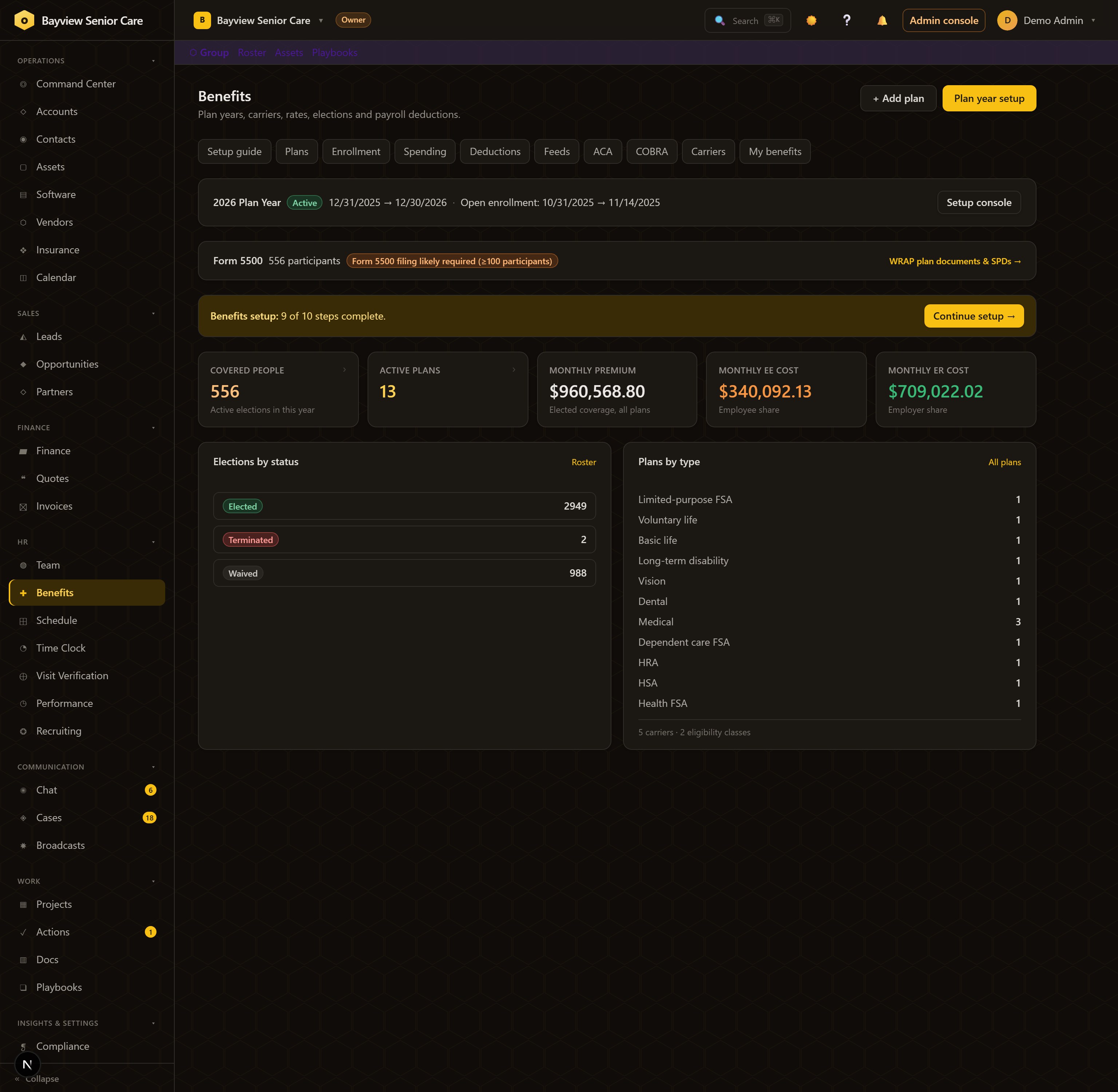
The Benefits dashboard: 556 covered people, 13 active plans, monthly premium split between employee and employer, elections by status, plans by type, Form 5500 flag
Benefits One dashboard: 556 covered people, 13 plans, the premium split — and the Form 5500 threshold flagged before your accountant asks.

The problem

Benefits truth lives in carrier portals, broker spreadsheets, and someone's memory.

The launch

Ten steps from nothing to enrollment-ready.

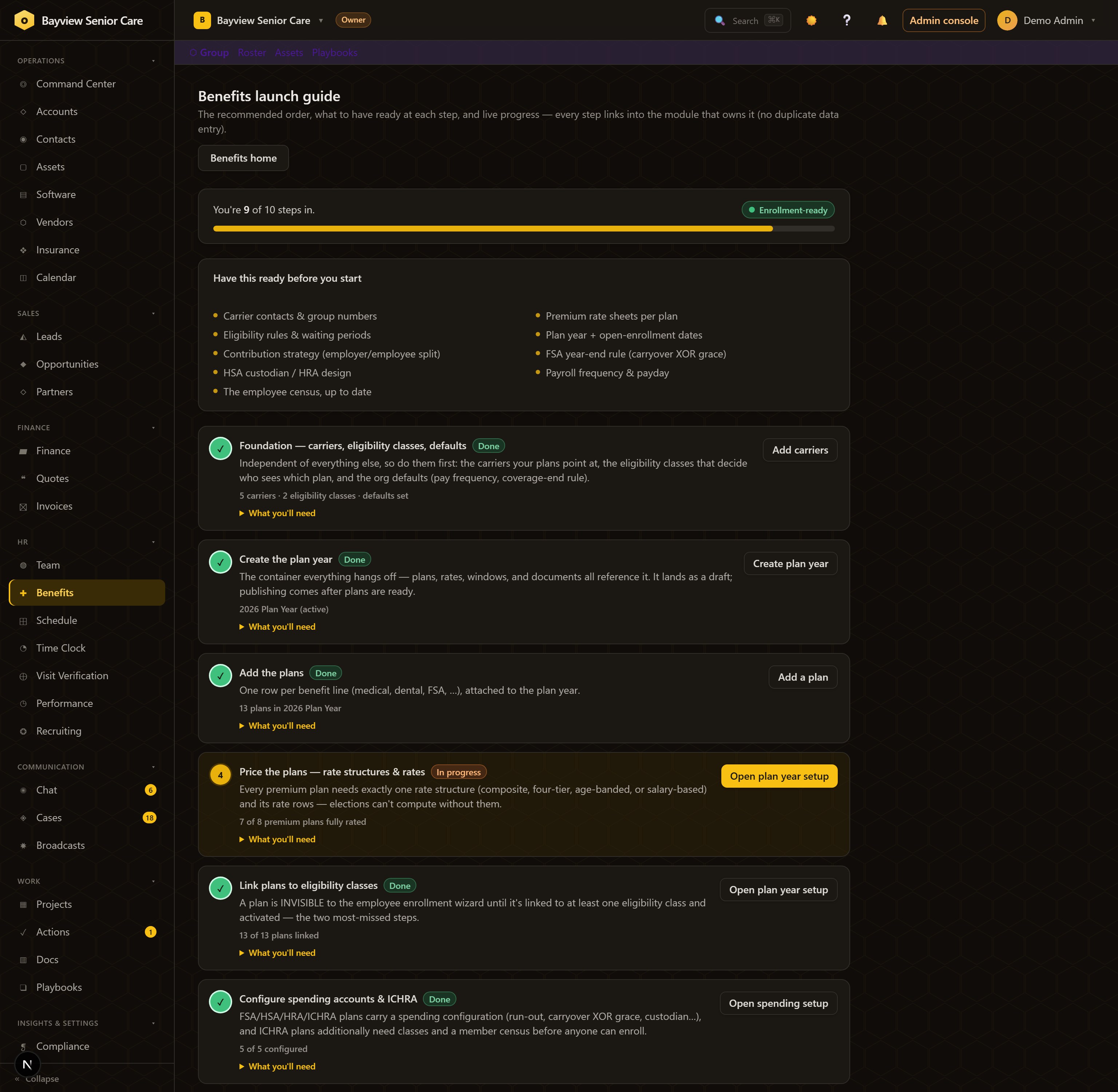
The guided launch sequences the whole build — carriers, plan year, plans, rates, eligibility, spending accounts, activation, windows — in dependency order. Each step shows live status and deep-links into the module that owns it, so nothing is entered twice and nothing is forgotten.

Benefits launch guide: 9 of 10 steps complete, Enrollment-ready badge, prep checklist and dependency-ordered steps with live status
Benefits → Setup guide 9 of 10 steps in, Enrollment-ready — with the prep checklist and per-step status doing the project management for you.

Enrollment

Elections in one roster — deductions compute themselves.

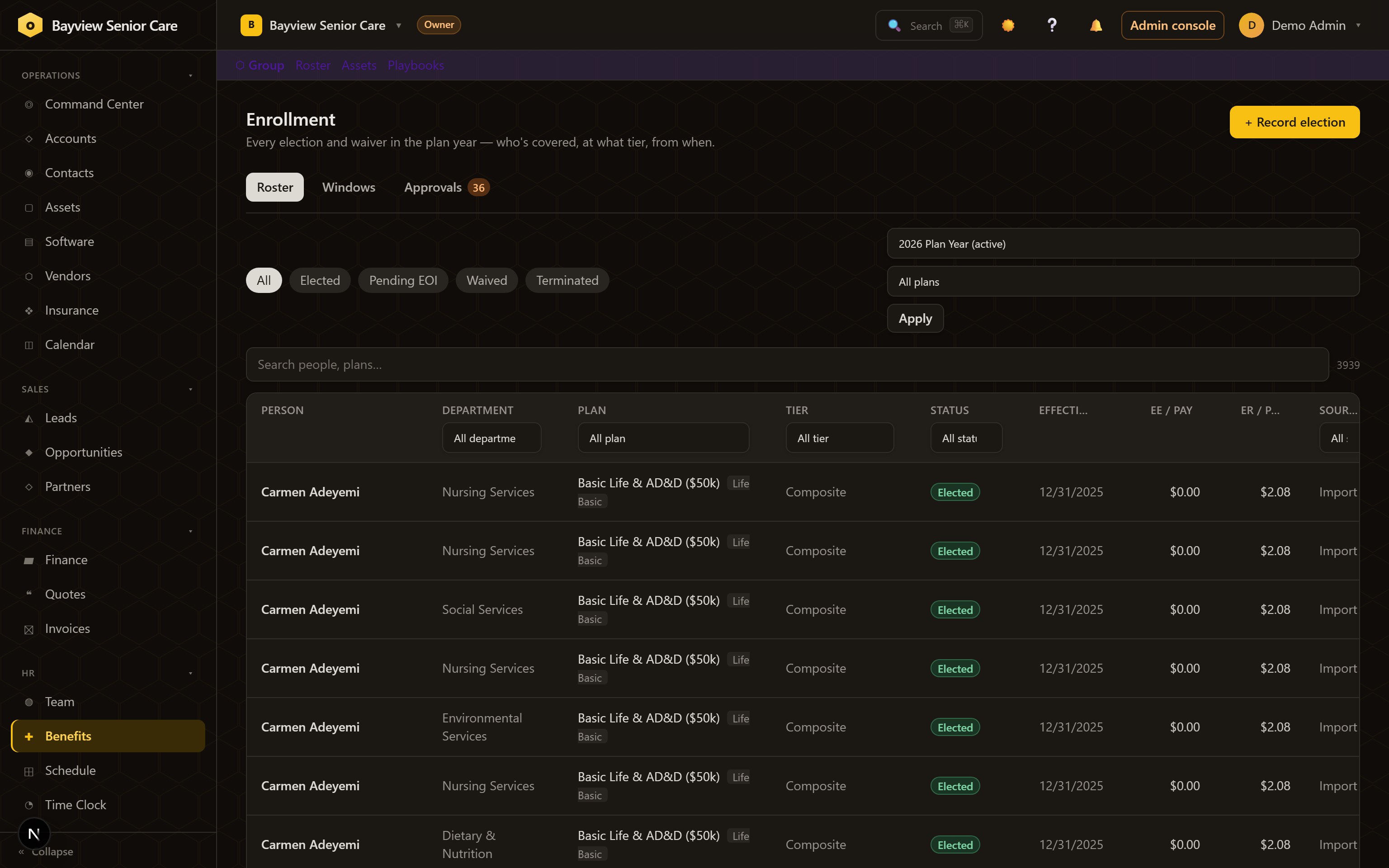
Open a window and employees elect through a self-service wizard; admins record the rest. Every election and waiver lands on one roster — Elected, Pending EOI, Waived, Terminated — with per-pay employee and employer costs derived automatically. No re-keying into payroll.

The enrollment roster: every election with plan, tier, status, effective date and per-pay costs
Benefits → Enrollment The single source of enrollment truth — window sweeps, approvals, and the full roster.

Spending accounts

FSA, HRA, HSA, ICHRA — with the IRS rules built in.

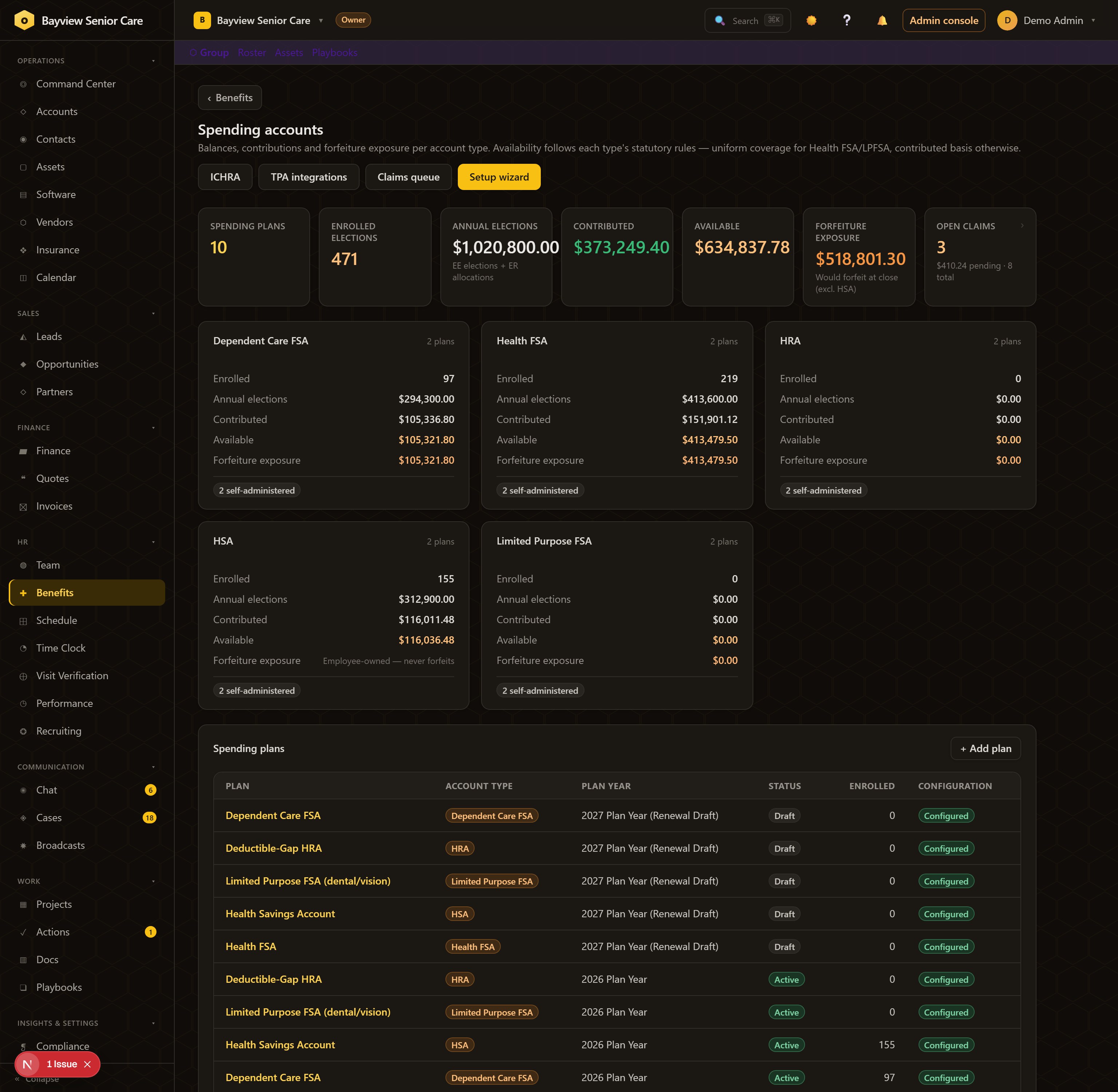
Balances, contributions, and a claims queue per account type — and the rules the IRS actually enforces are structural, not tribal knowledge: carryover XOR grace on the Health FSA, run-out windows, HRA order-of-payment, ICHRA classes and attestations.

Spending accounts dashboard: FSA, HRA, HSA and ICHRA rollups with balances, contributions and claims
Benefits → Spending Every account type, its configuration state, and the claims queue — self-administered or through your TPA.

The paperwork

The compliance paper writes itself — from your live plans.

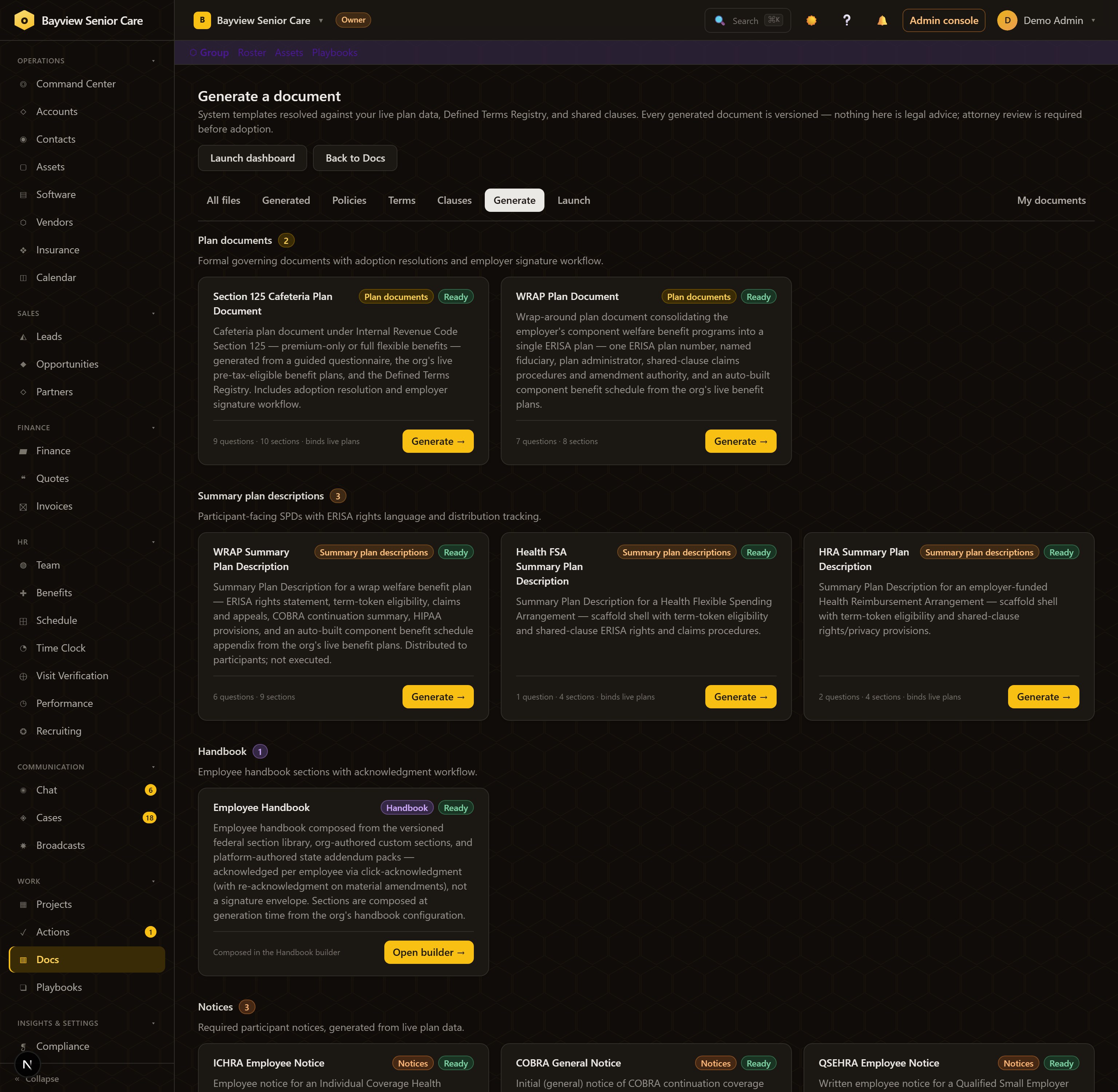
This is where most benefits stacks quietly fail: the documents. OpsHyv generates the Section 125 cafeteria plan document, WRAP plan document, and Summary Plan Descriptions — plus ICHRA, COBRA, and QSEHRA notices — directly from the plans, rates, and terms you just configured. Versioned, themed, distributable for acknowledgment, with attorney-review markers where counsel belongs.

The document generation gallery: Section 125, WRAP plan document, three SPDs, employee handbook and participant notices — all marked Ready
Docs → Generate §125, WRAP, SPDs, handbook, notices — every card reading Ready because the plan data behind it is live.
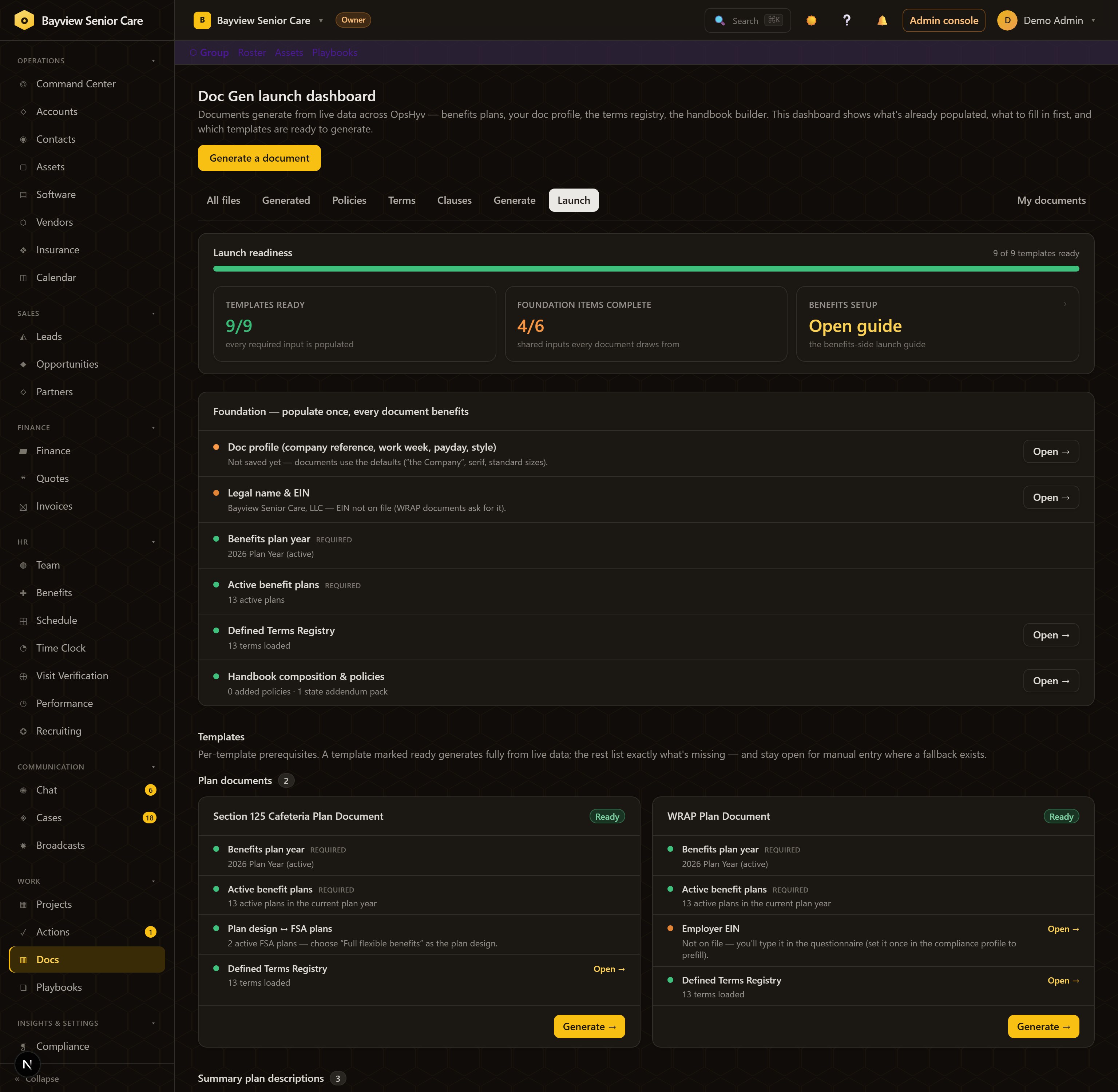
The Doc Gen launch dashboard: readiness bar, foundation checklist, and per-template prerequisites
Docs → Launch The readiness dashboard: populate the foundation once, and every document knows exactly what it's still missing.

ACA & carriers

January's panic, tracked all year.

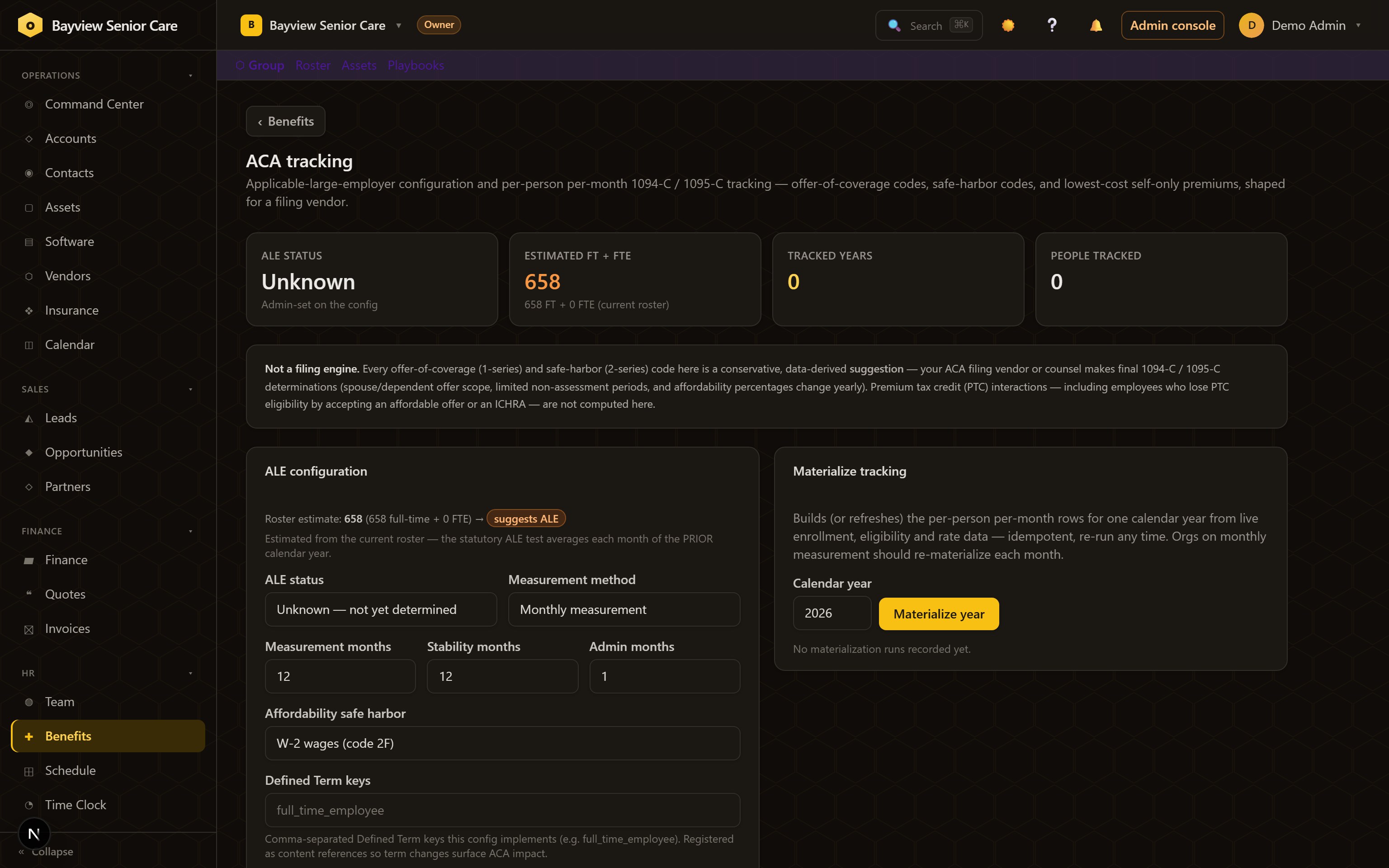
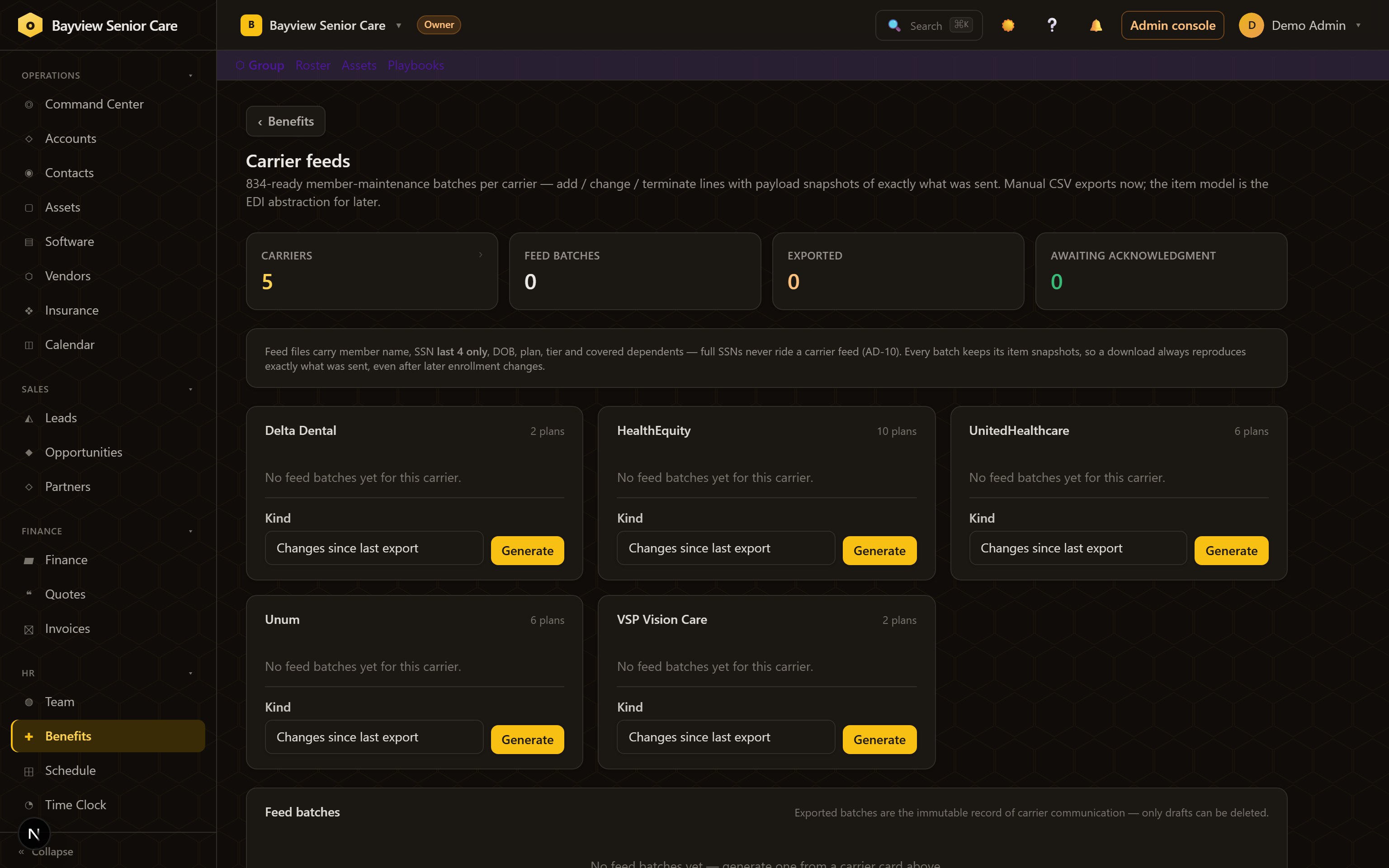
ALE status and measurement method configured once; 1094-C/1095-C offer data materializes per person, per month, all year long — with a CSV extract for your filing vendor. Carrier census changes export as member-maintenance feed batches: full census or changes-only, acknowledged and tracked.

ACA tracking: ALE configuration and tracked years with per-month offer code data
Benefits → ACA Person-month tracking, not a January reconstruction.
Carrier feeds: member-maintenance batches per carrier with status tracking
Benefits → Feeds Carrier updates as tracked batches, not portal re-typing.

The playbooks

Open enrollment on rails, not on memory.

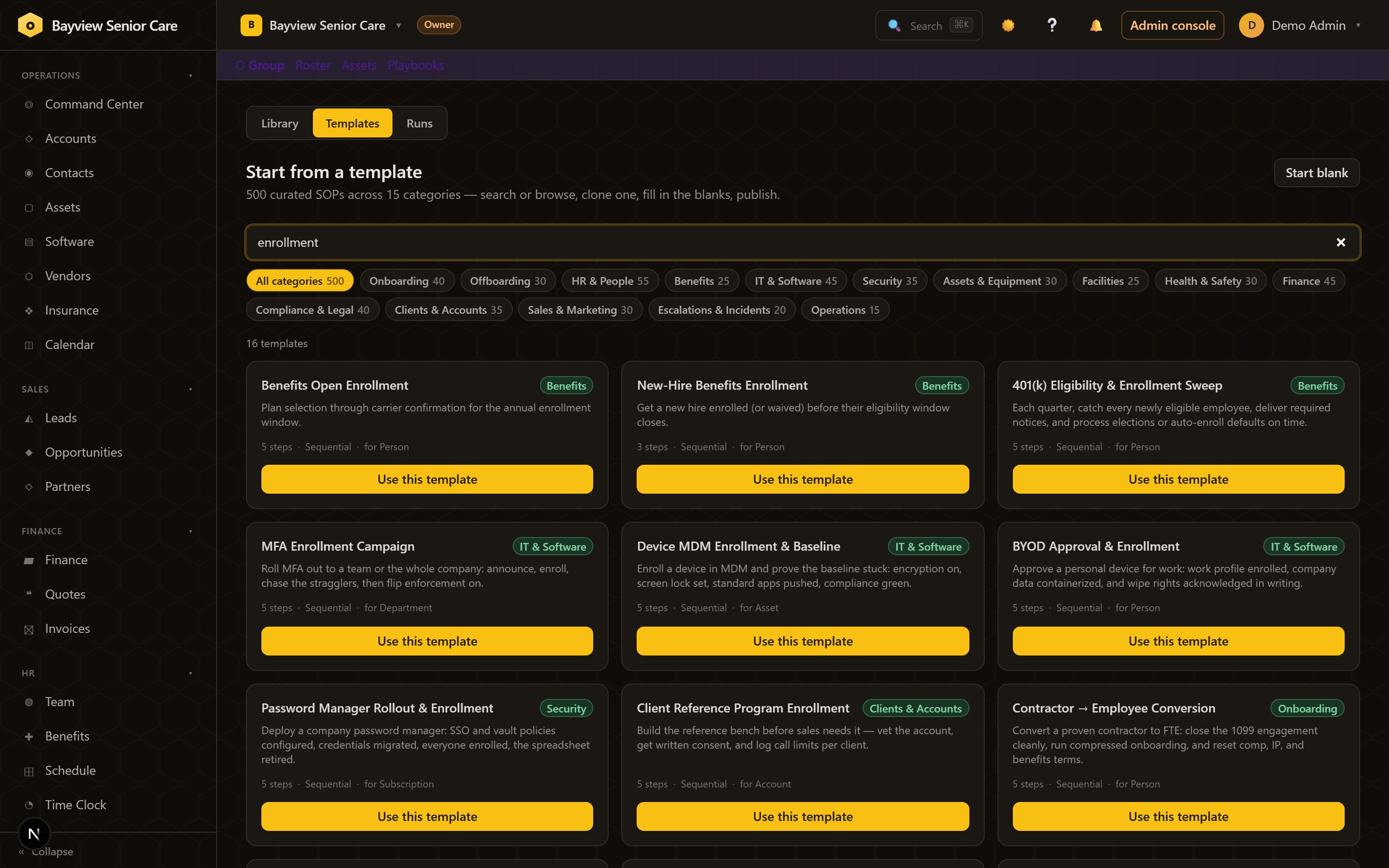
This is what makes it a powerhouse: a library of 500 curated SOPs includes the benefits runbooks — Benefits Open Enrollment, New-Hire Benefits Enrollment, 401(k) Eligibility & Enrollment Sweep — as living playbooks that assign each step to the right person, chase stragglers with time-based escalations, and leave a run history you can audit. Clone, adapt, launch every year.

The playbook template gallery searched for enrollment: Benefits Open Enrollment, New-Hire Benefits Enrollment, 401(k) Eligibility Sweep
Playbooks → Templates Search "enrollment": the annual OE runbook, the new-hire window chase, the quarterly 401(k) sweep — ready to launch.

How it runs

From census to acknowledged paper — one system the whole way.

  1. FoundationCarriers, eligibility classes, payroll defaults — guided, in order.
  2. Plans & ratesEvery benefit line priced: composite, four-tier, age-banded, salary-based.
  3. Publish & enrollOpen a window; employees elect, deductions derive automatically.
  4. Generate the paper§125, WRAP, SPDs, and notices from the live configuration.
  5. Run the playbooksOE, new-hire windows, and eligibility sweeps as repeatable runs.

Guardrails

Honest about the line between software and counsel.

Suggestions, not filingsACA offer and safe-harbor codes are conservative, data-derived suggestions — your filing vendor or counsel makes final determinations.
Attorney-review markersGenerated plan documents carry explicit review flags — the tool never impersonates counsel.
Private by constructionEnrollment and health-adjacent data is permission-gated and audited; every mutation lands on the audit log.

The bottom line

Benefits stops being a season and becomes a system.

Enrollment with one source of truth, spending accounts with the rules built in, ACA tracked all year, compliance paper generated on demand — and playbooks that make next year's open enrollment a launch, not a scramble.