Playbooks

Process, run like software.

A playbook is a living runbook, not a laminated checklist: launch it against a real record and it assigns the work, branches on decisions, escalates what stalls, and automates the busywork — while you watch every run from one hub.

500 curated SOPs ready to clone Decision steps that prune their own branches Escalations that chase, so you don't
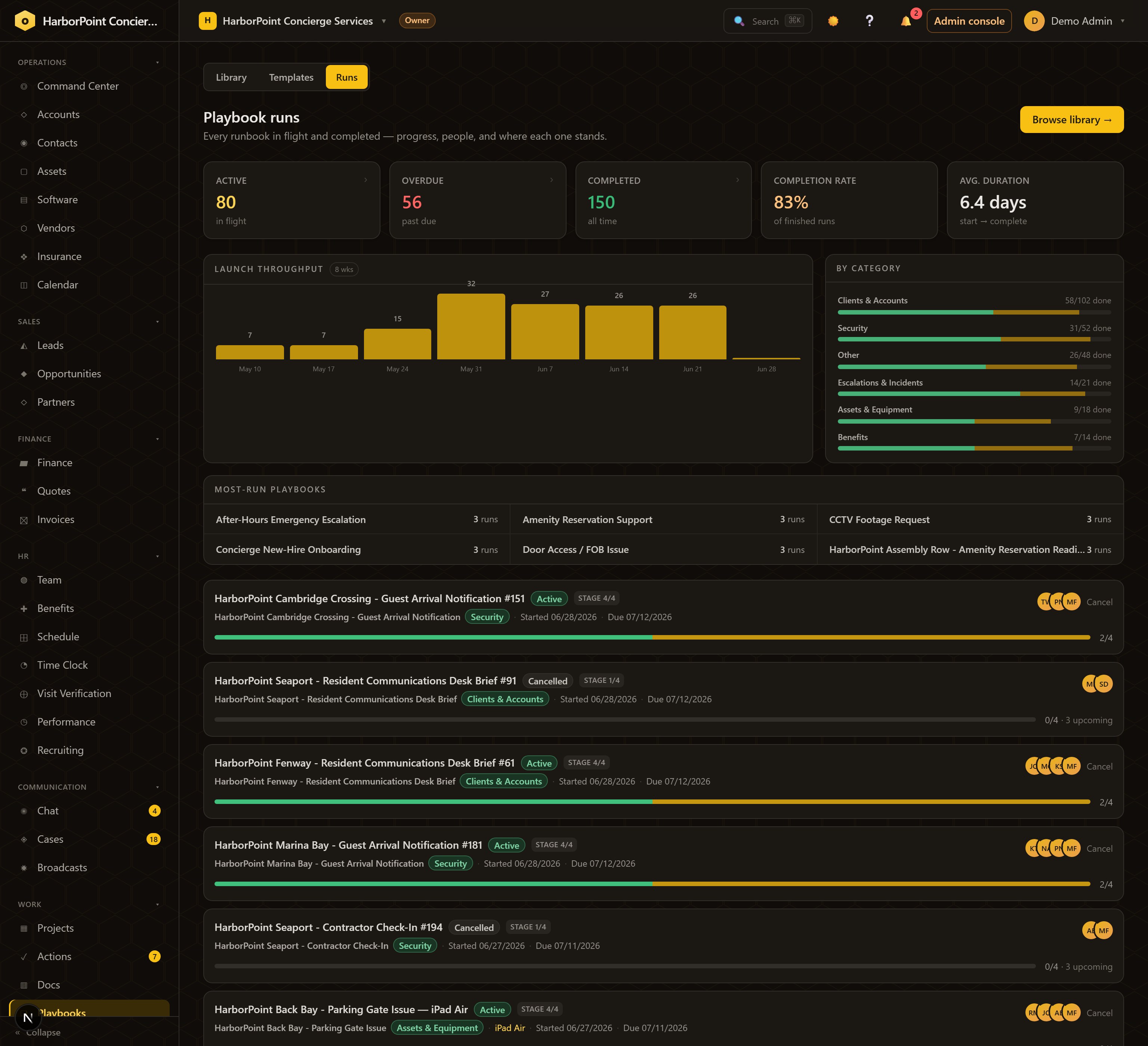
The runs hub: 80 active, 56 overdue, 150 completed, 83% completion rate, 6.4-day average duration, launch throughput chart, and run rows with anticipated progress
Playbooks → Runs Mission control: 80 runs in flight, 83% completion, 6.4-day average — and every run showing progress that counts steps not even deployed yet.

The problem

Your best process lives in a wiki nobody opens.

The library

Start from 500 SOPs, or encode your own.

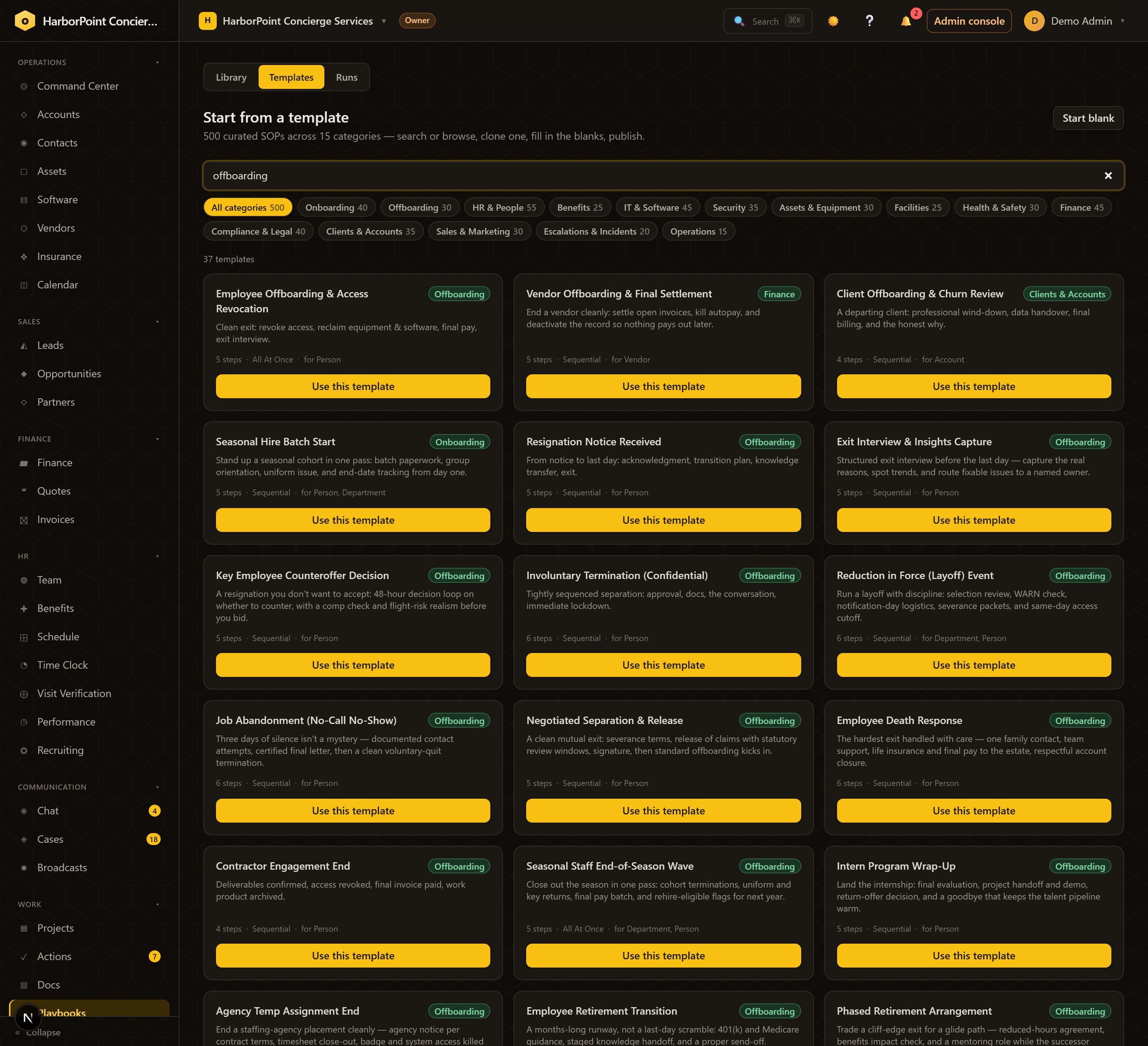
A gallery of 500 curated templates across 15 categories — onboarding, offboarding, escalations, security, facilities, benefits — each one clone-and-adapt. Or author from scratch: every step gets dynamic assignment (a role, a person, a department, or whoever launched the run) and can require proof — a checklist, a file, or data — before it's allowed to complete.

The template gallery searched for offboarding: curated SOPs with steps, run mode and target type, each with a use-this-template button
Playbooks → Templates Search "offboarding" — ready-made runbooks, each showing its steps and what it runs against.

The living run

Launch it on a record, and the process runs itself.

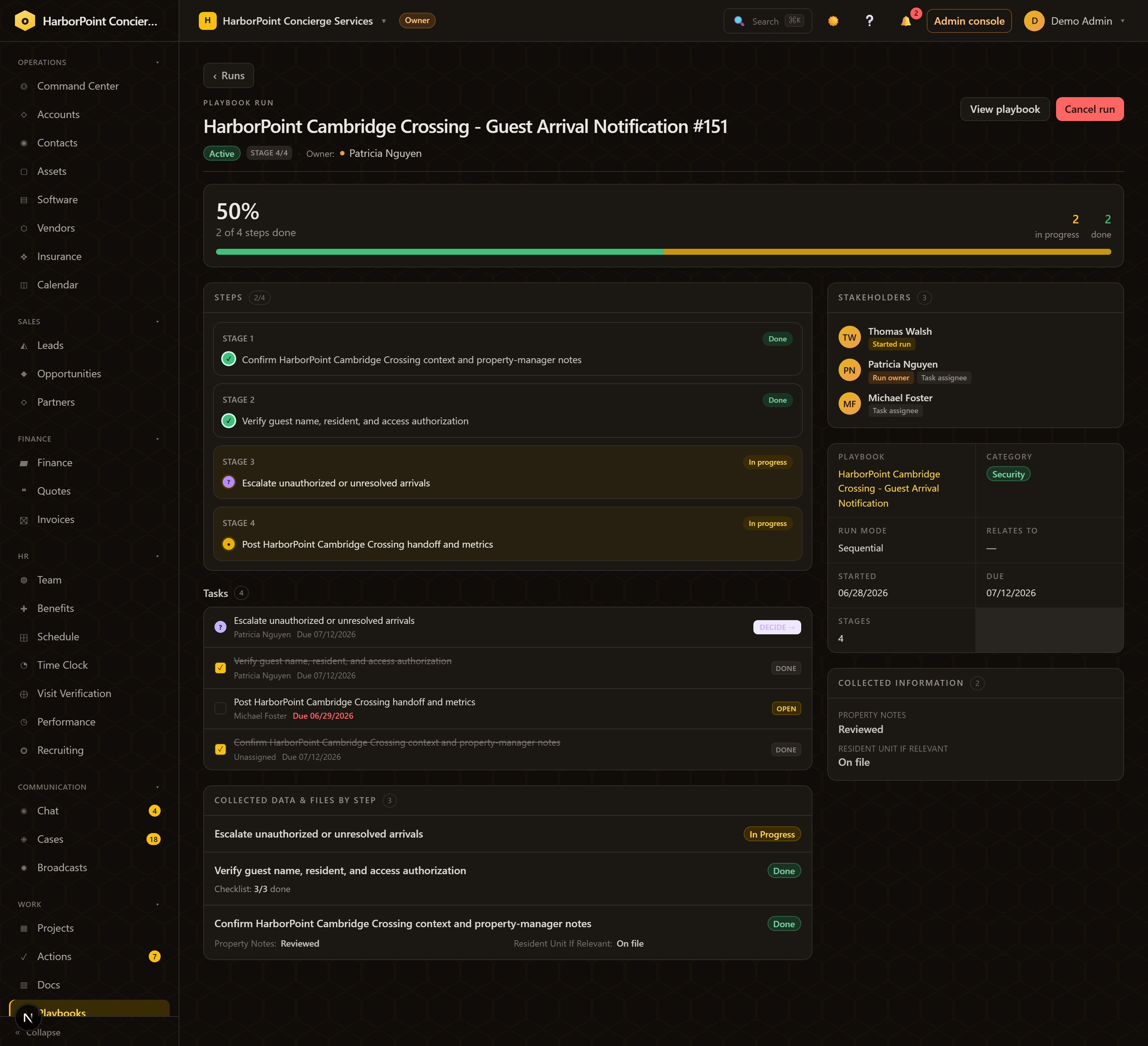
Launch against a new hire, an account, a property, a case — or fan out across a whole cohort at once. Steps deploy stage by stage; decision steps fork the path and prune the branches that don't apply; every step collects its data and files in place. Stakeholders, owners, and collected information live on the run — so run #151 can answer for itself.

Inside a live run: staged steps with done and in-progress states, a DECIDE task, assignees with due dates, stakeholders, and data collected per step
A run, mid-flight Stage 3 is a decision waiting on its owner; stages 1–2 collected their proof; the overdue task is already red.

Automation

Steps that do things — and chase people.

Completing a step can open a case, assign or reclaim software, send a merge-tagged email, or launch a project — the busywork between steps is the automation's job. And when a step sits too long, time-based escalations kick in: notify the manager, reassign to a backup, or ping a chat channel after X days.

Dynamic assignmentSteps route to roles, people, departments, or the launcher — the right owner every run, without editing the playbook.
Required proofA step can demand a checklist, file, or data before it completes — "done" means demonstrated, not claimed.
Audited timelineEvery run keeps its step-by-step history, stakeholders, and analytics — average duration, completion rate, where things stall.

Playbooks power the rest of the platform. Benefits open enrollment, compliance remediation, handbook rollouts — the other pillars all launch their work through runs.

See the whole platform →
How it runs

From tribal knowledge to a process with a pulse.

  1. Pick or writeClone one of 500 SOPs, or encode the process only one person knows.
  2. PublishSteps, owners, requirements, decisions, escalations — versioned.
  3. LaunchOn one record, or across a whole cohort at once.
  4. It runsSteps deploy and decide; automations fire; stalls escalate.
  5. TrackEvery run on one hub, with anticipated progress and analytics.

The bottom line

The process stops living in someone's head and starts running the work.

Five hundred starting points, decisions that route themselves, escalations that never forget, and a run history that answers for every single execution — inside the platform that already runs your people, benefits, time, and compliance.